What is a TIN?
TIN stands for Taxpayer Identification Number. It is the umbrella term the IRS uses for the identification numbers that appear on federal tax forms, information returns, and payroll filings. Every person and business entity that has a U.S. tax obligation needs one.
All TINs are nine digits. The format differs by type: individual numbers use the XXX-XX-XXXX pattern, and business numbers use the XX-XXXXXXX pattern.
When a W-2 or 1099 form asks for a TIN, it is asking for whichever number applies to that specific payee. Getting the right type onto the right form is the most common point of confusion in 1099 and W-2 filing.
What are the five types of TINs?
| TIN type | Abbreviation | Who uses it | Issued by |
|---|
| Social Security Number | SSN | U.S. individuals; sole proprietors; single-member LLCs (owner's SSN) | Social Security Administration |
| Employer Identification Number | EIN | Corporations, partnerships, multi-member LLCs, nonprofits, trusts, estates, and any entity that pays employees | IRS (apply via Form SS-4) |
| Individual Taxpayer Identification Number | ITIN | Non-U.S. persons required to file or pay U.S. taxes who are not eligible for an SSN | IRS (apply via Form W-7) |
| Adoption Taxpayer Identification Number | ATIN | Adoptive parents whose child does not yet have an SSN during the adoption process | IRS (apply via Form W-7A) |
| Preparer Taxpayer Identification Number | PTIN | Paid tax preparers who sign federal returns on behalf of clients | IRS (IRS Tax Pro PTIN system) |
For most small businesses filing 1099s and W-2s, only three of these types are relevant: SSN, EIN, and ITIN. The ATIN and PTIN appear in specific circumstances and are not common in standard payroll or contractor filing.
Social Security Number (SSN)
An SSN is issued by the Social Security Administration to U.S. citizens and eligible residents. It is the most common TIN for 1099 and W-2 purposes.
Use an SSN on a 1099 when the payee is:
- An individual
- A sole proprietor
- A single-member LLC (use the owner's SSN, not the LLC's EIN)
Single-member LLCs are a disregarded entity by default. The IRS treats them as the individual owner for tax purposes. Enter the owner's SSN on the W-9 and on the 1099, not the LLC's EIN. Filing with the LLC's EIN instead creates a name and TIN mismatch that triggers a CP2100 B-Notice.
Format: XXX-XX-XXXX (example: 123-45-6789)
Employer Identification Number (EIN)
An EIN is a nine-digit number the IRS issues to business entities. It functions as the business equivalent of an SSN.
Use an EIN on a 1099 when the payee is:
- A corporation (C corp or S corp)
- A partnership
- A multi-member LLC
- A nonprofit organization
- A trust or estate
Most corporations are exempt from receiving a 1099-NEC for service payments. The EIN is still needed when one of the exceptions applies, such as attorney fees or medical and health care payments.
Apply for an EIN using Form SS-4. Online applications through IRS.gov issue the EIN immediately. Fax applications take about four business days. Paper applications take four to six weeks.
Format: XX-XXXXXXX (example: 12-3456789)
Individual Taxpayer Identification Number (ITIN)
An ITIN is issued by the IRS to individuals who are required to file or pay U.S. taxes but are not eligible for an SSN. Common situations include nonresident aliens, foreign nationals with U.S.-source income, and international business owners with a U.S. tax obligation.
An ITIN always starts with the digit 9. It is for tax compliance only. It does not authorize work in the U.S., confer residency status, or qualify the holder for Social Security benefits.
If a contractor provides an ITIN on their W-9, use that number on the 1099 exactly as given. Apply for an ITIN using Form W-7, submitted with a federal tax return and supporting identity documents.
Format: 9XX-XX-XXXX (example: 987-65-4321)
Where does the TIN come from in 1099 and W-2 filing?
The TIN on a 1099 or W-2 comes from the payee's or employee's records. For contractors, it comes from Form W-9, which you collect before making any payment. For employees, it comes from Form W-4 and the employee's employment records.
The name and TIN combination on your form must match exactly what the IRS or SSA has on file for that person or entity. A real TIN that belongs to a different name still causes a mismatch.
Common sources of mismatches:
- A sole proprietor enters a business trade name instead of their legal name
- A single-member LLC provides the LLC's EIN instead of the owner's SSN
- A name is spelled differently from IRS records (hyphen, suffix, middle name)
- A contractor changed their name and did not update their IRS records
What happens when a TIN is missing or incorrect?
If you file a 1099 with a missing or incorrect TIN, the IRS may send you a CP2100 or CP2100A notice. This is called a B-Notice. It requires you to contact the payee, request a corrected W-9, and begin backup withholding at 24 percent on future payments if the payee does not respond within 30 days.
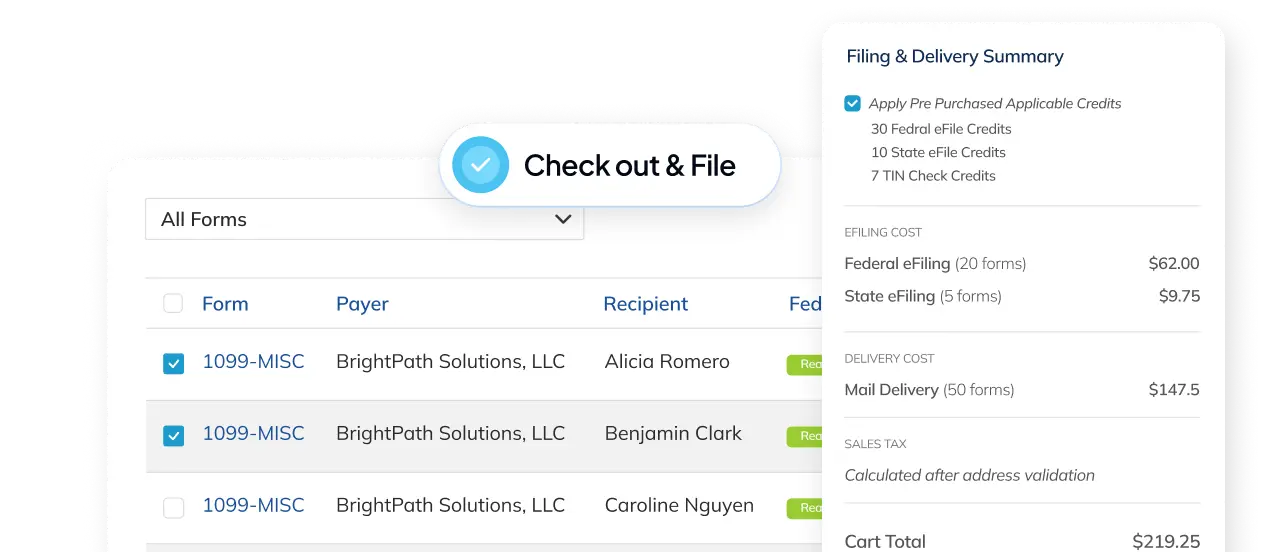
You can prevent this. Run TIN Check Service in Tax Forms Helper before you eFile. It submits your name and TIN combinations to the IRS database before anything goes on record. A mismatch found before filing is a quick fix. A mismatch found after is a penalty exposure.
See TIN Check Service for how to add TIN checking to your eFile order.
What format does the TIN take on a 1099?
On Copy A of a 1099, the TIN field accepts nine digits. Do not include dashes in the actual field entry. The dashes are part of the display format for human reading, not the stored value.
Tax Forms Helper handles TIN formatting automatically. Enter the number with or without dashes and it normalizes the entry for IRS submission.
Once you have the correct TIN on file for each payee, your 1099 filings have the foundation they need to go through without rejections or notices.
FAQ
What are the five types of TIN?
SSN, EIN, ITIN, ATIN, and PTIN. The SSN is issued by the Social Security Administration and the others come from the IRS. All TINs are nine digits. For most small businesses filing 1099s and W-2s, only the SSN, EIN, and ITIN are relevant; the ATIN and PTIN appear in specific circumstances.
Do you use an SSN or an EIN for a single-member LLC on a 1099?
Use the owner's SSN. A single-member LLC is a disregarded entity by default, so the IRS treats it as the individual owner for tax purposes. Enter the owner's SSN on the W-9 and on the 1099, not the LLC's EIN. Filing with the LLC's EIN instead creates a name and TIN mismatch that triggers a CP2100 B-Notice.
What is an ITIN and when does it go on a 1099?
An ITIN is issued by the IRS to individuals who must file or pay U.S. taxes but are not eligible for an SSN, such as nonresident aliens and foreign nationals with U.S.-source income. It always starts with the digit 9 and is for tax compliance only: it does not authorize work, confer residency, or qualify the holder for Social Security benefits. If a contractor provides an ITIN on their W-9, use it on the 1099 exactly as given.
What happens if a TIN on a 1099 is missing or incorrect?
The IRS may send you a CP2100 or CP2100A notice, known as a B-Notice. It requires you to contact the payee, request a corrected W-9, and begin backup withholding at 24 percent on future payments if the payee does not respond within 30 days. Running TIN Check Service before you eFile catches mismatches while they are still a quick fix.
Subject to change. Verify at IRS.gov or the relevant government site.
FAQs
What are the five types of TIN?
SSN, EIN, ITIN, ATIN, and PTIN. The SSN is issued by the Social Security Administration and the others come from the IRS. All TINs are nine digits. For most small businesses filing 1099s and W-2s, only the SSN, EIN, and ITIN are relevant; the ATIN and PTIN appear in specific circumstances.
Do you use an SSN or an EIN for a single-member LLC on a 1099?
Use the owner's SSN. A single-member LLC is a disregarded entity by default, so the IRS treats it as the individual owner for tax purposes. Enter the owner's SSN on the W-9 and on the 1099, not the LLC's EIN. Filing with the LLC's EIN instead creates a name and TIN mismatch that triggers a CP2100 B-Notice.
What is an ITIN and when does it go on a 1099?
An ITIN is issued by the IRS to individuals who must file or pay U.S. taxes but are not eligible for an SSN, such as nonresident aliens and foreign nationals with U.S.-source income. It always starts with the digit 9 and is for tax compliance only: it does not authorize work, confer residency, or qualify the holder for Social Security benefits. If a contractor provides an ITIN on their W-9, use it on the 1099 exactly as given.
What happens if a TIN on a 1099 is missing or incorrect?
The IRS may send you a CP2100 or CP2100A notice, known as a B-Notice. It requires you to contact the payee, request a corrected W-9, and begin backup withholding at 24 percent on future payments if the payee does not respond within 30 days. Running TIN Check Service before you eFile catches mismatches while they are still a quick fix.