TIN matching lets you verify a payee's name and Taxpayer Identification Number against IRS records before you file. A mismatch caught before filing is a quick fix. A mismatch caught after costs you penalties, backup withholding obligations, and a formal IRS notice.
Last updated:
October 2026
What is a TIN?
A TIN is a Taxpayer Identification Number. It identifies the person or business receiving a payment for IRS reporting purposes. Three types are common in 1099 filing:
- Social Security Number (SSN): used by individuals, sole proprietors, and single-member LLCs
- Employer Identification Number (EIN): used by corporations, partnerships, and multi-member LLCs
- Individual Taxpayer Identification Number (ITIN): used by individuals who are not eligible for an SSN
The TIN comes from the payee's Form W-9. You use it to populate Copy A of the 1099 you file with the IRS.
What does TIN matching actually check?
TIN matching checks whether a specific name and TIN combination exists in the IRS database as a valid pair. The IRS does not just verify that the TIN is a real number. It verifies that the TIN belongs to the person or entity named on your form.
A TIN can be real and still cause a mismatch. An EIN that belongs to one business does not match when filed under a different business name. An SSN that belongs to a person does not match when filed under a spouse's name or a business trade name.
The result is binary: the combination either matches or it does not.
Why does a mismatch matter?
When you file a 1099 with a name and TIN combination that does not match IRS records, the IRS sends you a CP2100 or CP2100A notice. This is called a B-Notice.
A B-Notice requires you to:
- Send the affected payee a formal backup withholding notice within 15 business days of receiving the CP2100
- Request a corrected W-9 from that payee
- Begin backup withholding at 24 percent on all future payments to that payee if they do not respond within 30 days
If the same payee appears on a CP2100 a second time within three years, the corrective process is more demanding. A new W-9 alone is not enough. The payee must provide a copy of their Social Security card or a Letter 147C issued by the IRS confirming their TIN.
TIN matching before you file prevents all of this.
What is the TIN Check Service in Adams Tax Forms Helper?
Adams® Tax Forms Helper® offers TIN Check Service as an optional add-on. It submits your selected payee name and TIN combinations to the IRS database for validation before you print or eFile your forms.
TIN Check Service supports both SSNs and EINs.
Wait for TIN verification results before printing or eFiling your forms. If a mismatch comes back, you can correct the payee record in Tax Forms Helper before anything goes to the IRS. Results are generally returned within 24 to 48 hours of submission. You will receive an email notification when processing is complete.
How do you run the TIN Check Service?
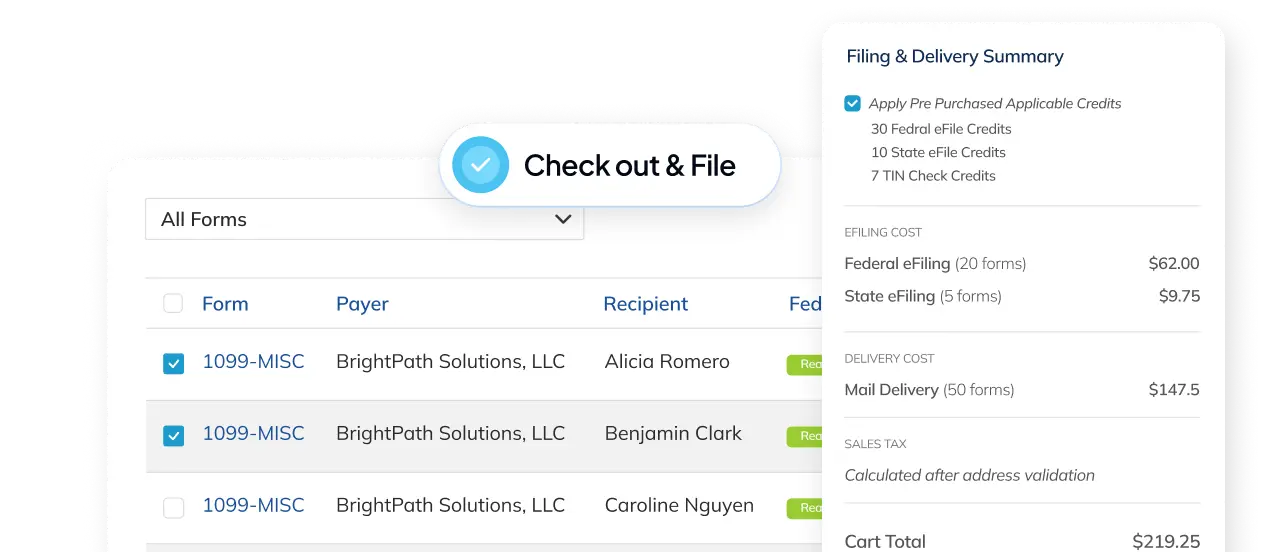
- Go to Forms from your dashboard.
- Check the box or boxes next to the forms you want to TIN check.
- Click Checkout and File.
- On the Filings Ready to Submit screen, check the boxes under TIN Check for the specific filings you want verified.
- Click Checkout.
- Enter your payment information and billing address. Click Validate Address, select the suggested address, then click Save and Continue.
- Click Checkout to complete your order.
You will see an on-screen confirmation and receive an email with your order details. No further action is needed while processing runs.
What do you do if a TIN Check comes back as a mismatch?
Go back to the payee record in Tax Forms Helper and correct the name, TIN, or both. Common causes include:
- A sole proprietor entered their business trade name instead of their legal name on the W-9
- A single-member LLC provided their EIN instead of their SSN
- A name was entered with a spelling difference from IRS records (a middle name, a hyphen, or a suffix)
After correcting the record, run TIN Check again before eFiling.
Can you eFile without running TIN Check first?
Yes. TIN Check Service is optional. You can eFile without it.
Running TIN Check before you file is the only way to catch a mismatch before it becomes a rejected form, a CP2100 notice, or a backup withholding obligation. A mismatch not caught before filing can result in an IRS rejection with a “TIN and Name Must Match IRS Records” rejection reason, which requires a correction filing.
Once your TIN check results are back and any mismatches are corrected, you are ready to eFile. See How to eFile with the IRS or SSA for next steps.
FAQ
What does TIN matching actually check?
Whether a specific name and TIN combination exists in the IRS database as a valid pair. The IRS does not only confirm that the TIN is a real number; it confirms the TIN belongs to the person or entity named on your form. A real TIN filed under a different name still fails. The result is binary: it matches or it does not.
How long does the TIN Check Service take?
Results are generally returned within 24 to 48 hours of submission, and you receive an email notification when processing is complete. Wait for the results before printing or eFiling, so that any mismatch can be corrected in Tax Forms Helper before anything goes to the IRS.
What should you do if a TIN check comes back as a mismatch?
Go back to the payee record in Tax Forms Helper, correct the name, the TIN, or both, then run TIN Check again before eFiling. Common causes are a sole proprietor entering a business trade name instead of their legal name, a single-member LLC providing an EIN instead of an SSN, and spelling differences from IRS records such as a middle name, a hyphen, or a suffix.
Can you eFile without running a TIN check first?
Yes, TIN Check Service is optional. But running it first is the only way to catch a mismatch before it becomes a rejected form, a CP2100 notice, or a backup withholding obligation. A mismatch not caught before filing can produce an IRS rejection with a TIN and Name Must Match IRS Records reason, which then requires a correction filing.
Subject to change. Verify at IRS.gov or the relevant government site.
FAQs
What does TIN matching actually check?
Whether a specific name and TIN combination exists in the IRS database as a valid pair. The IRS does not only confirm that the TIN is a real number; it confirms the TIN belongs to the person or entity named on your form. A real TIN filed under a different name still fails. The result is binary: it matches or it does not.
How long does the TIN Check Service take?
Results are generally returned within 24 to 48 hours of submission, and you receive an email notification when processing is complete. Wait for the results before printing or eFiling, so that any mismatch can be corrected in Tax Forms Helper before anything goes to the IRS.
What should you do if a TIN check comes back as a mismatch?
Go back to the payee record in Tax Forms Helper, correct the name, the TIN, or both, then run TIN Check again before eFiling. Common causes are a sole proprietor entering a business trade name instead of their legal name, a single-member LLC providing an EIN instead of an SSN, and spelling differences from IRS records such as a middle name, a hyphen, or a suffix.
Can you eFile without running a TIN check first?
Yes, TIN Check Service is optional. But running it first is the only way to catch a mismatch before it becomes a rejected form, a CP2100 notice, or a backup withholding obligation. A mismatch not caught before filing can produce an IRS rejection with a TIN and Name Must Match IRS Records reason, which then requires a correction filing.